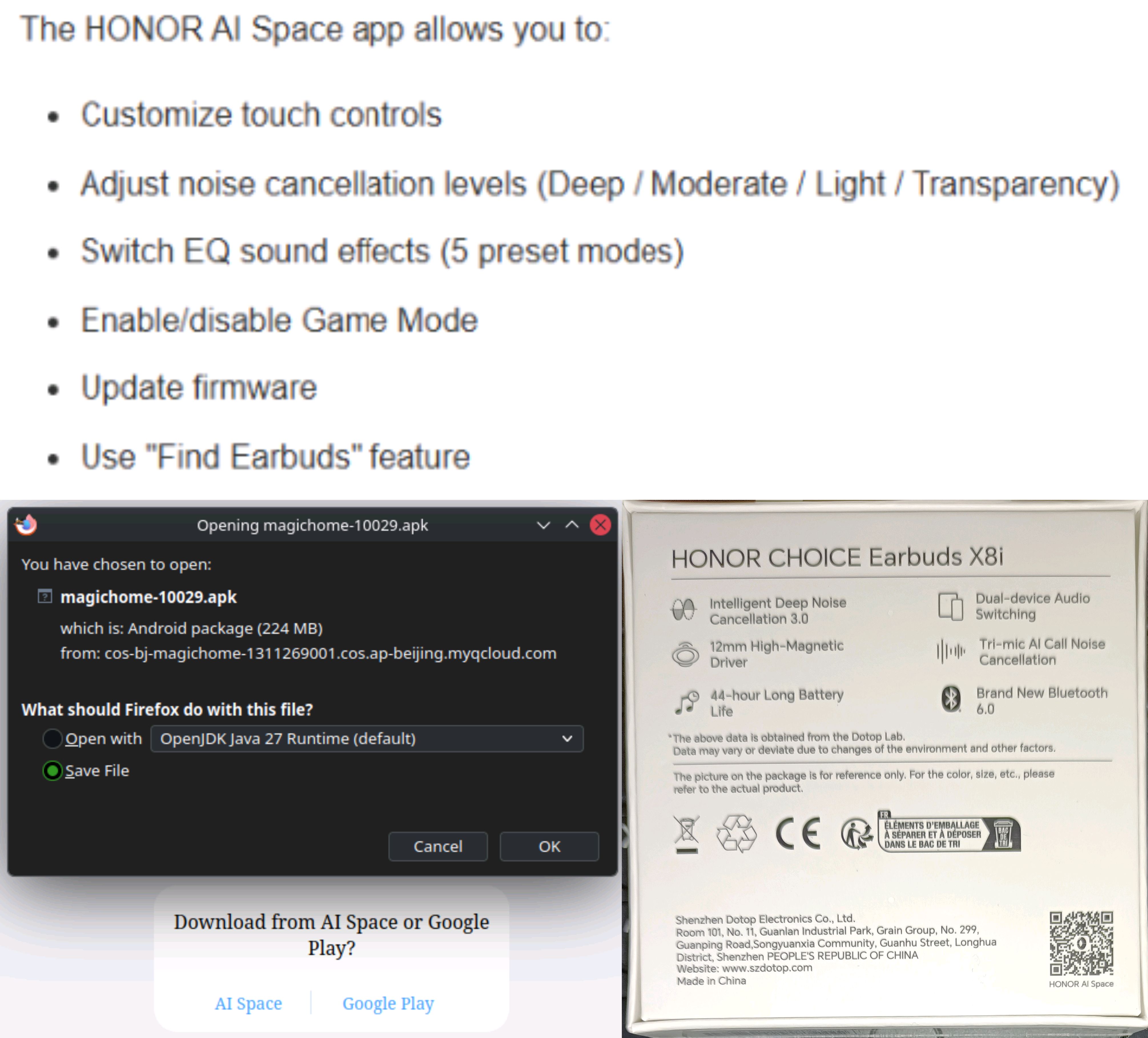
Got this from my phone carrier as a “gift”.
Couldn’t the case just have 3 extra buttons + some labeled LEDs?
Do you though?
Basic operations Noise control Switch noise control modes After the earbuds are connected to the phone/tablet, you can reduce noise in any of the following ways: Method 1: Press and hold the left/right earbuds to turn on or off the Noise canceling or Awareness function and switch the noise control modes according to voice prompts. Method 2: Open the HONOR AI Space app, go to the details page of the earbuds, select Noise control, and enable or disable Noise canceling or Awareness. Method 3: Turn on your phone/tablet (Magic UI 6.0 and above), go to Settings > Bluetooth Paired devices, tap the button to the right of the earbuds name, select Noise control, and enable or disable the Noise canceling or Awareness function
Thanks, I missed that in the manual.
Buttons are expensive, app is not, and making it cheap is the main goal of Huawei. In their defense, it’s not like they’re hiding it, and the stuff actually works.
making it cheap is the main goal of Huawei
There’s no-name chinese brands that accomplish that, the brand names are supposed to be premium, and for the target customers, that means shoving AI, syncing with other devices of the sane brand, and needless functions into it.
Idk about the Honor earbuds, but my Huawei ones aren’t cheap and have better audio than my Samsung ones, especially in phonecalls.
I did like the Samsung form factor more tho, and the “locate my earbuds if they’ve been near a Samsung phone” equivelent function isn’t useful if I don’t have a Huawei phone.
They could, but then how are they supposed to harvest your date?
Hate it when I’m going out with someone, but then they get harvested by some earplug company
deleted by creator
I wanted to calibrate the ANC on some Sony headphones while on a flight once. Because the calibration is specifically for changes in air pressure and such.
The app refused to work without logging in or updating or something. But I couldn’t because I was on a plane with no wifi. Like, the one situation where the app is useful.
Might be worth submitting a request for them to be added in Gadgetbridge https://gadgetbridge.org/gadgets/headphones/
If you’re lucky, they might partially work based on other devices already in there.
Highly recommend gadgetbridge for stuff like this.
Doesn’t look like there’s any existing support for earbuds from the brand though unfortunately.
The app is to adjust the noise cancellation level. I had a glance at the manual for that model, and you should be able to press and hold an ear bud to cycle in and out of of ANC.
Not to defend what the app could be collecting, but really there’s only so much that can be put into an earbud regarding customization.
I have two pairs of earbuds with ANC, Pixel Buds Pro 2 and some Soundcore something. Both have optional apps to configure the controls, but with no app, both can toggle ANC with a long touch. I believe the Soundcore via the app allows how they are toggled, whether it’s pass through, nothing, or ANC enabled
But the app extracts more value
Honor aka Huawei
Why are you surprised?
Return them.
I didn’t (explicitly) pay for them.
You gotta ask to speak to the manager.
Are they at least good?
Why does the software end up so big?

I only find one without the company in it’s name and with 30 MB?
Its a text summary of all the conversations in the vicinity phoning back to the mothership.
That would be data.
If it was, I’m pretty sure they couldn’t sell it in the EU without mentioning it in the privacy statement.
That seems unlikely, it hardly uses any battery or data.
Seems unlikely ≠ is false /s
Eww disgusting